Spring Cloud Gateway: Role-Based Authorization, Rate Limiting & Logging
(Java 25 | Centralized Config | Docker Ready)
👨💻 I'm Praveen Gupta, a Senior Backend Engineer with over 10+ years of experience in designing scalable backend systems using Java, Spring Boot, Microservices, and AWS Cloud. I specialize in building cloud-native applications, integrating DevOps practices, and mentoring teams in writing clean, production-grade code. I created this blog to share real-world backend architecture tips, Spring Boot patterns, and practical coding solutions that help developers grow faster.
In the previous part, we implemented JWT token validation at Spring Cloud Gateway.
Now we’ll level it up to production standards by adding:
Role-based authorization
API rate limiting
Centralized request logging
Clear separation of public vs protected APIs
🔐 Role-Based Authorization at Gateway
Instead of just validating the token, the Gateway will now check user roles.
Token Payload Example
{
  "sub": "praveen",
  "roles": ["USER", "ADMIN"],
  "exp": 1712345678
}
🧠 Authorization Flow
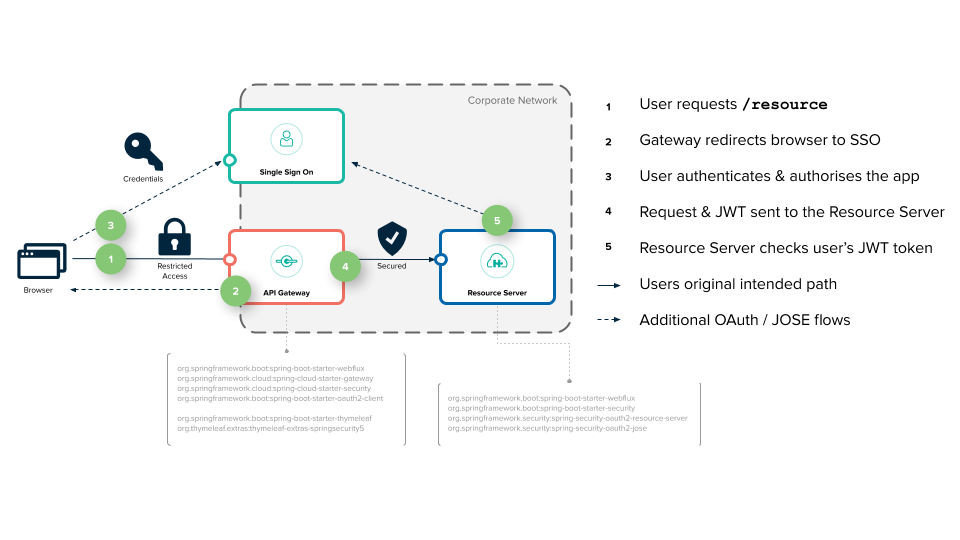
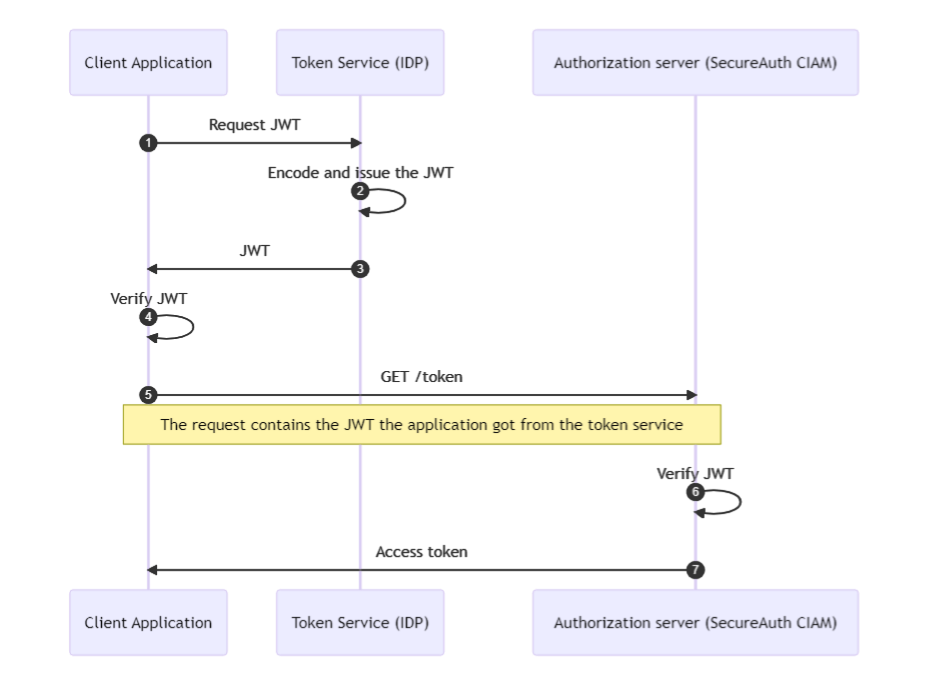
Steps
Gateway extracts JWT
Validates signature & expiry
Extracts roles
Matches roles against the API requirement
Allows or blocks the request
🛡️ Role-Based Gateway Filter
@Component
public class RoleAuthFilter implements GatewayFilter {

    @Override
    public Mono<Void> filter(ServerWebExchange exchange, GatewayFilterChain chain) {

        String token = JwtUtil.extractToken(exchange);

        List<String> roles = JwtUtil.extractRoles(token);

        String path = exchange.getRequest().getURI().getPath();

        if (path.startsWith("/admin") && !roles.contains("ADMIN")) {
            exchange.getResponse().setStatusCode(HttpStatus.FORBIDDEN);
            return exchange.getResponse().setComplete();
        }

        return chain.filter(exchange);
    }
}
🛣️ Route Configuration with Roles
gateway.properties
spring.cloud.gateway.routes[0].id=product-service
spring.cloud.gateway.routes[0].uri=http://product-service:8082
spring.cloud.gateway.routes[0].predicates[0]=Path=/products/**
spring.cloud.gateway.routes[0].filters[0]=JwtAuthFilter
spring.cloud.gateway.routes[0].filters[1]=RoleAuthFilter
🚦 Rate Limiting at Gateway
Rate limiting protects services from abuse and accidental overload.
Why at Gateway?
✔ One place
✔ No code changes in services
✔ Scales horizontally
📉 Rate Limit Architecture


⚙️ Simple Rate Limiting Filter (In-Memory)
@Component
public class RateLimitFilter implements GatewayFilter {

    private final Map<String, AtomicInteger> requestCounts = new ConcurrentHashMap<>();

    @Override
    public Mono<Void> filter(ServerWebExchange exchange, GatewayFilterChain chain) {

        String ip = exchange.getRequest().getRemoteAddress().getAddress().getHostAddress();

        requestCounts.putIfAbsent(ip, new AtomicInteger(0));

        if (requestCounts.get(ip).incrementAndGet() > 100) {
            exchange.getResponse().setStatusCode(HttpStatus.TOO_MANY_REQUESTS);
            return exchange.getResponse().setComplete();
        }

        return chain.filter(exchange);
    }
}
💡 In real production, replace this with Redis-based rate limiting.
📋 Centralized Request Logging
Logging at Gateway gives full visibility across all services.
🧾 Logging Filter
@Component
public class LoggingFilter implements GlobalFilter {

    @Override
    public Mono<Void> filter(ServerWebExchange exchange, GatewayFilterChain chain) {

        long startTime = System.currentTimeMillis();

        return chain.filter(exchange).then(
            Mono.fromRunnable(() -> {
                long duration = System.currentTimeMillis() - startTime;
                System.out.println(
                    exchange.getRequest().getMethod() + " " +
                    exchange.getRequest().getURI() +
                    " took " + duration + " ms"
                );
            })
        );
    }
}
🌍 Public vs Protected APIs
Public APIs (No Token Required)
/users/login/users/register/health
Protected APIs
/products/**/admin/**
🛣️ Public Route Configuration
spring.cloud.gateway.routes[2].id=public-user
spring.cloud.gateway.routes[2].uri=http://user-service:8081
spring.cloud.gateway.routes[2].predicates[0]=Path=/users/login
❌ No JWT filter
✅ Open access
🔁 End-to-End API Flow

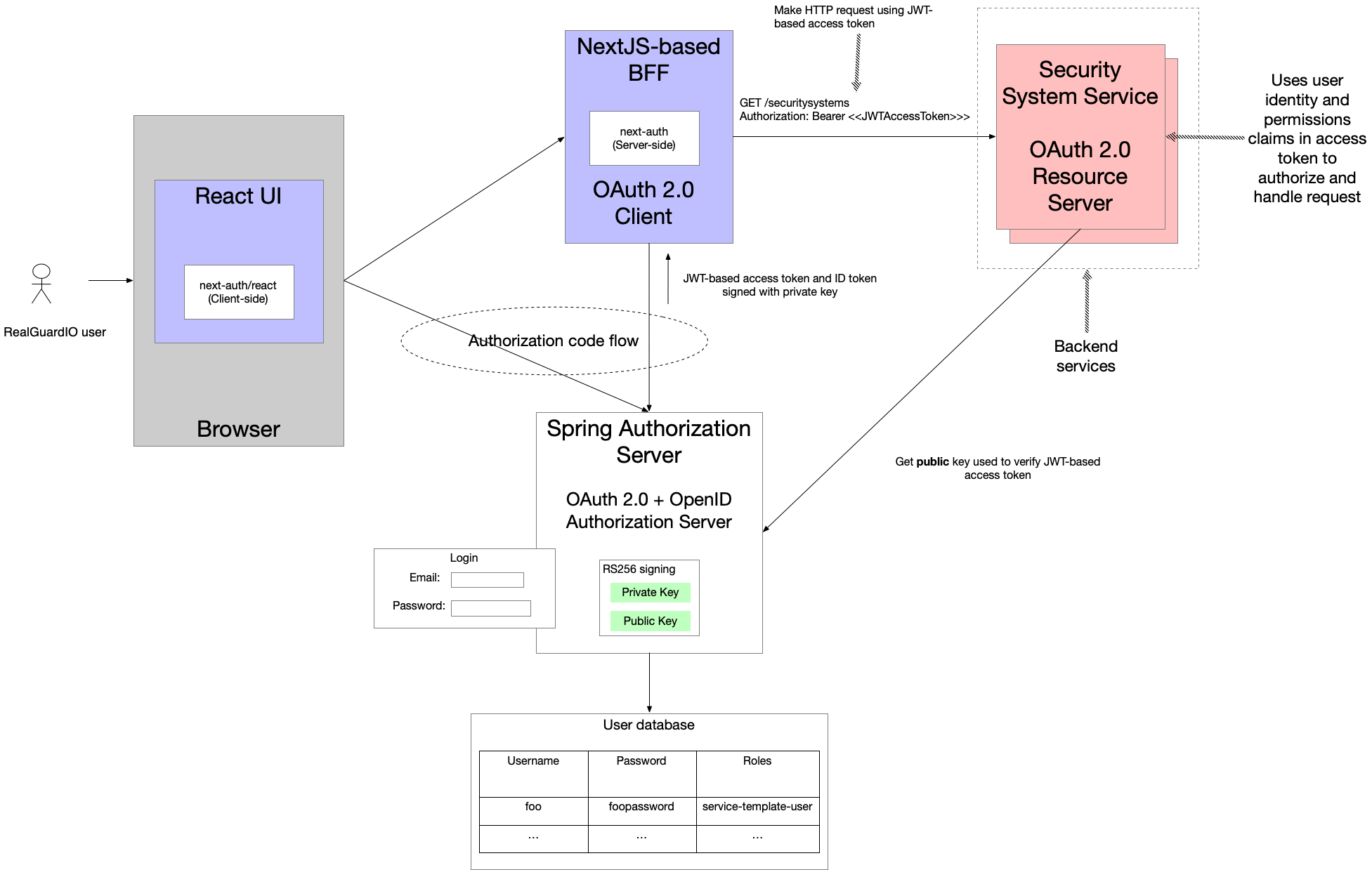
Client logs in
Receives JWT with roles
Calls protected API
Gateway:
Validates token
Checks roles
Applies rate limit
Logs request
Forwards to service
✅ Production Benefits
✔ Centralized security
✔ Zero duplication in services
✔ Easy scaling
✔ Cleaner microservices
✔ Docker & Kubernetes friendly
📦 Dockerfile (Common for All Services)
Use the same Dockerfile structure for Gateway, User, and Product services.
Dockerfile
# Java 25 runtime
FROM eclipse-temurin:25-jdk

# App directory
WORKDIR /app

# Copy jar
COPY target/*.jar app.jar

# Expose port (actual value comes from env)
EXPOSE 8080

# Run app
ENTRYPOINT ["java","-jar","app.jar"]
✔ Java 25 compatible
✔ Lightweight runtime
✔ Environment-driven ports
⚙️ Centralized Config via Docker Volume
Your existing shared-config folder will be mounted inside containers.
Shared Config Structure
shared-config/
├── application.properties
├── gateway.properties
├── user-service.properties
└── product-service.properties
🌐 Spring Config Import (All Services)
spring.config.import=optional:file:/config/application.properties
/configis mapped via Docker volume
🧱 Docker Compose Configuration
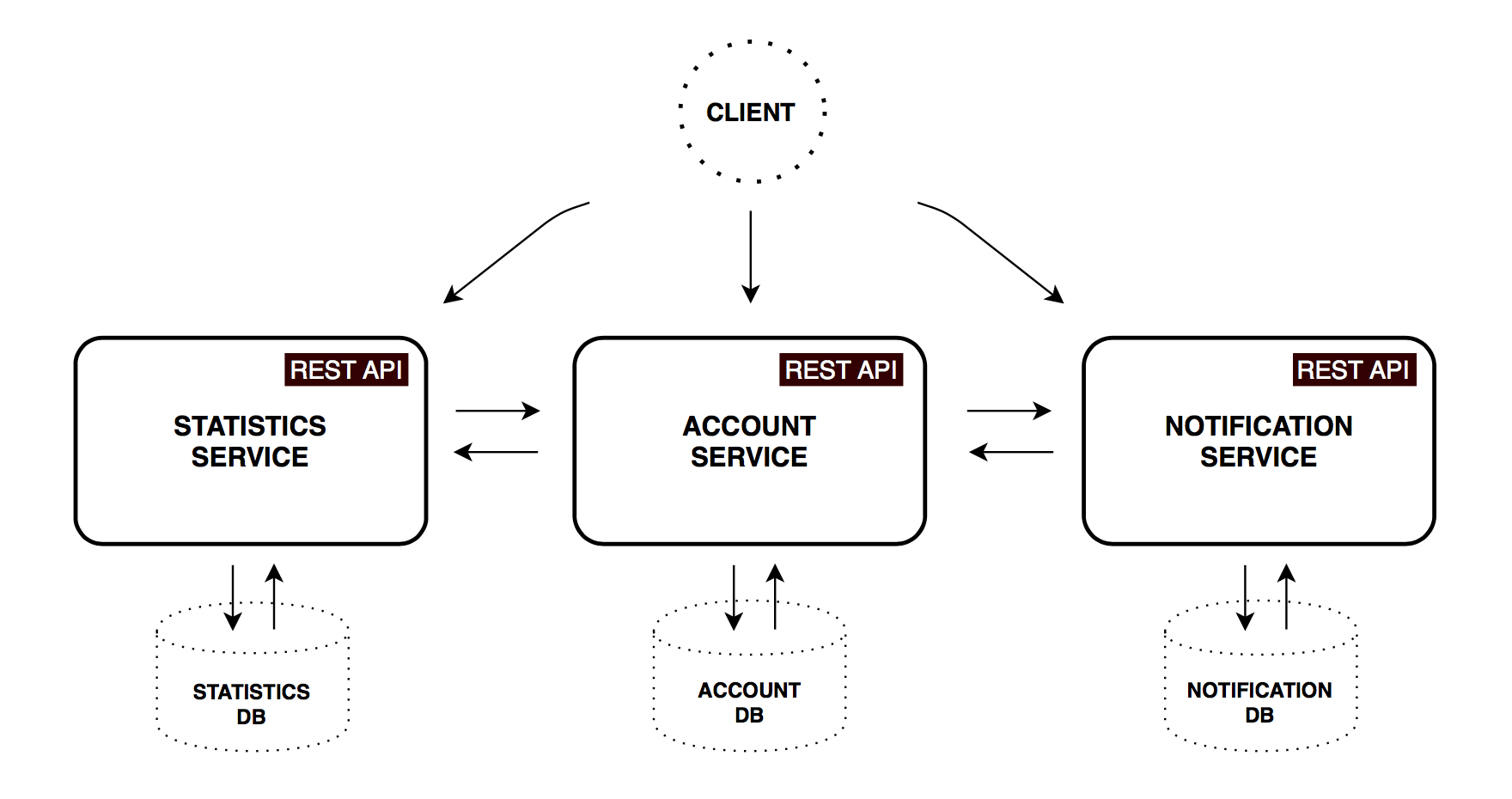
docker-compose.yml
version: '3.8'

networks:
  microservices-net:

services:

  gateway-service:
    container_name: gateway-service
    build: ./gateway-service
    ports:
      - "8080:8080"
    environment:
      PORT: 8080
      APP_NAME: gateway-service
    volumes:
      - ./shared-config:/config
    networks:
      - microservices-net
    depends_on:
      - user-service
      - product-service

  user-service:
    container_name: user-service
    build: ./user-service
    ports:
      - "8081:8081"
    environment:
      PORT: 8081
      APP_NAME: user-service
    volumes:
      - ./shared-config:/config
    networks:
      - microservices-net

  product-service:
    container_name: product-service
    build: ./product-service
    ports:
      - "8082:8082"
    environment:
      PORT: 8082
      APP_NAME: product-service
    volumes:
      - ./shared-config:/config
    networks:
      - microservices-net
🔗 Service-to-Service Communication
Inside Docker network:
| Service | URL Used |
| Gateway → User | http://user-service:8081 |
| Gateway → Product | http://product-service:8082 |
✔ Docker DNS resolves service names automatically
✔ No Eureka required (optional later)
🧪 Running the Setup
Step 1: Build JARs
mvn clean package -DskipTests
Step 2: Start All Services
docker-compose up --build
🔍 Verify Containers
docker ps
Expected running containers:
gateway-service
user-service
product-service
🔁 End-to-End Test
1️⃣ Login
POST http://localhost:8080/users/login
2️⃣ Access Protected API
GET http://localhost:8080/products
Authorization: Bearer <JWT>
✔ Gateway validates token
✔ Routes to Product Service
✔ Docker handles networking
✅ Why This Docker Setup Works Well
✔ Clean separation of concerns
✔ Centralized configuration
✔ Easy local & CI testing
✔ Kubernetes-ready structure
✔ Zero environment-specific code📌 Final Thoughts
With this setup, Spring Cloud Gateway becomes the security brain of your system, while User & Product services stay lightweight and focused on business logic.
🧱 Root Project Structure
spring-cloud-gateway-microservices/
│
├── docker-compose.yml
├── shared-config/
│   ├── application.properties
│   ├── gateway.properties
│   ├── user-service.properties
│   └── product-service.properties
│
├── gateway-service/
│   ├── Dockerfile
│   ├── pom.xml
│   └── src/
│       └── main/
│           ├── java/
│           │   └── com/example/gateway/
│           │       ├── GatewayApplication.java
│           │       ├── filter/
│           │       │   ├── JwtAuthFilter.java
│           │       │   ├── RoleAuthFilter.java
│           │       │   ├── RateLimitFilter.java
│           │       │   └── LoggingFilter.java
│           │       └── util/
│           │           └── JwtUtil.java
│           │
│           └── resources/
│               └── application.properties
│
├── user-service/
│   ├── Dockerfile
│   ├── pom.xml
│   └── src/
│       └── main/
│           ├── java/
│           │   └── com/example/user/
│           │       ├── UserServiceApplication.java
│           │       ├── controller/
│           │       │   └── AuthController.java
│           │       ├── dto/
│           │       │   └── LoginRequest.java
│           │       └── util/
│           │           └── JwtUtil.java
│           │
│           └── resources/
│               └── application.properties
│
├── product-service/
│   ├── Dockerfile
│   ├── pom.xml
│   └── src/
│       └── main/
│           ├── java/
│           │   └── com/example/product/
│           │       ├── ProductServiceApplication.java
│           │       └── controller/
│           │           └── ProductController.java
│           │
│           └── resources/
│               └── application.properties
│
└── README.md
🚀 What’s Next (Final Part)
If you want, next we can cover:
Redis-based rate limiting
Spring Security + Gateway
OpenAPI + Swagger via Gateway
Distributed tracing (Zipkin)
Kubernetes ingress migration
Complete GitHub repo structure
💬 Feedback?
If you found this useful, leave a comment or connect with me on LinkedIn. 🚀
